• Live Selling
  • Dynamic Listings
  • Storefront Media
  • Socials
Login
  1. Home
  2. /Overview

Live selling on your Shopify store

Stores on Live brings live video, auctions, offers and chat to your Shopify storefront. Your products, your brand, your checkout.

The event room

ShopifyYour storefront
Live show
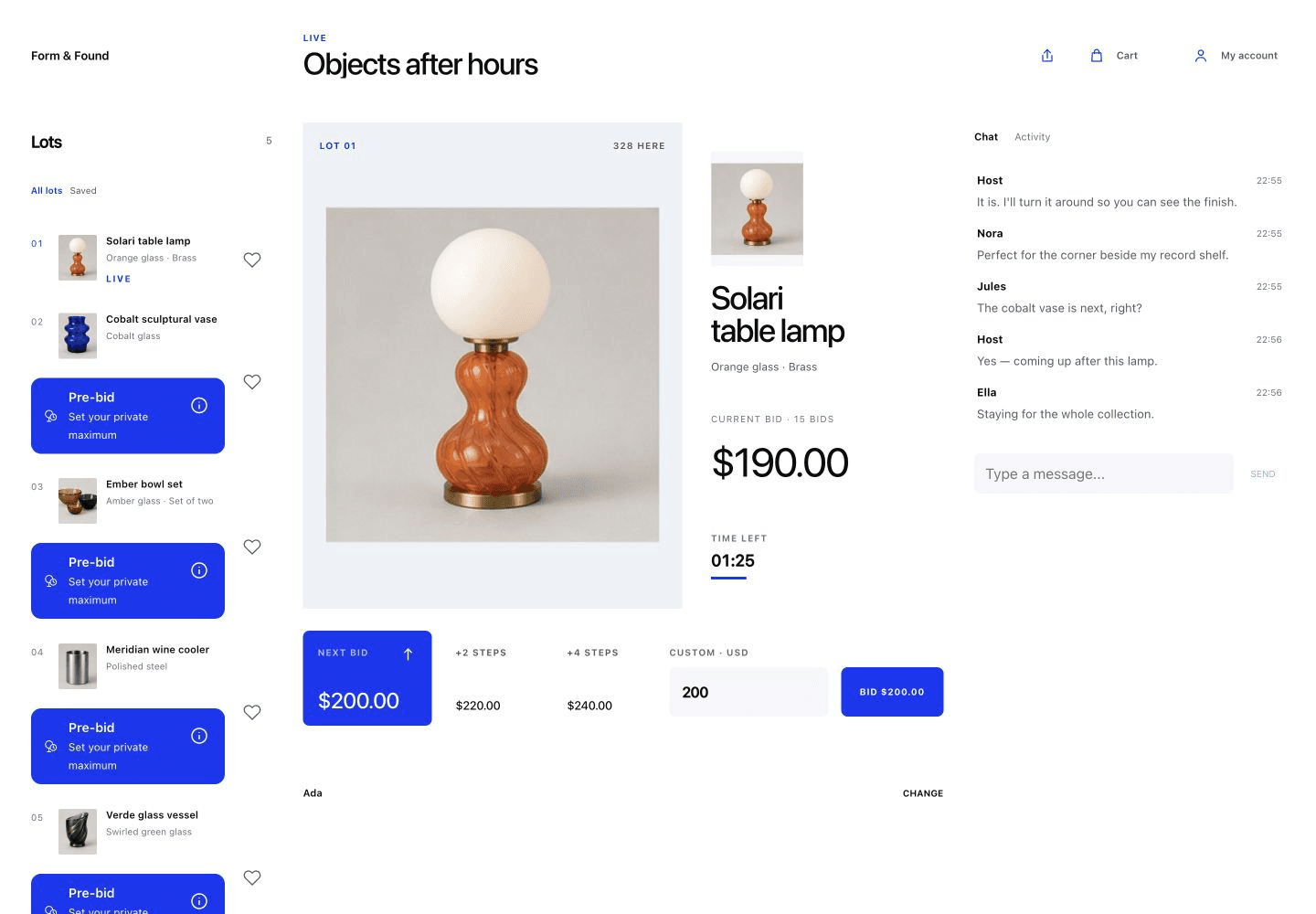
Example event room with video, products, bid controls and chat.
Shoppers join in their browser Questions and bids in one room Payment through Shopify checkout

Prepare products for a show

Build each show around your Shopify catalog, with selling rules and a storefront room that you control.

  • Shopify products

    Your Shopify products and variants become the show lineup. AI-assisted catalog tools help prepare new product drafts for your review.

  • Flexible selling rules

    Each product can have its own sale format, price and auction rules. You control the running order and payment deadlines.

  • Your storefront room

    Room designs and branding options keep the show connected to your store. Preview the shopper experience before publishing.

Show planning

Live hosting on web and iPhone

Plan, manage and host from either device. Both connect to the same products, lineup and show.

Your iPhone can supply the camera while you manage the lineup and show controls on the web.

Phone cameras, webcams and OBS are supported. Guest co-hosts join through their browser.

Live hosting
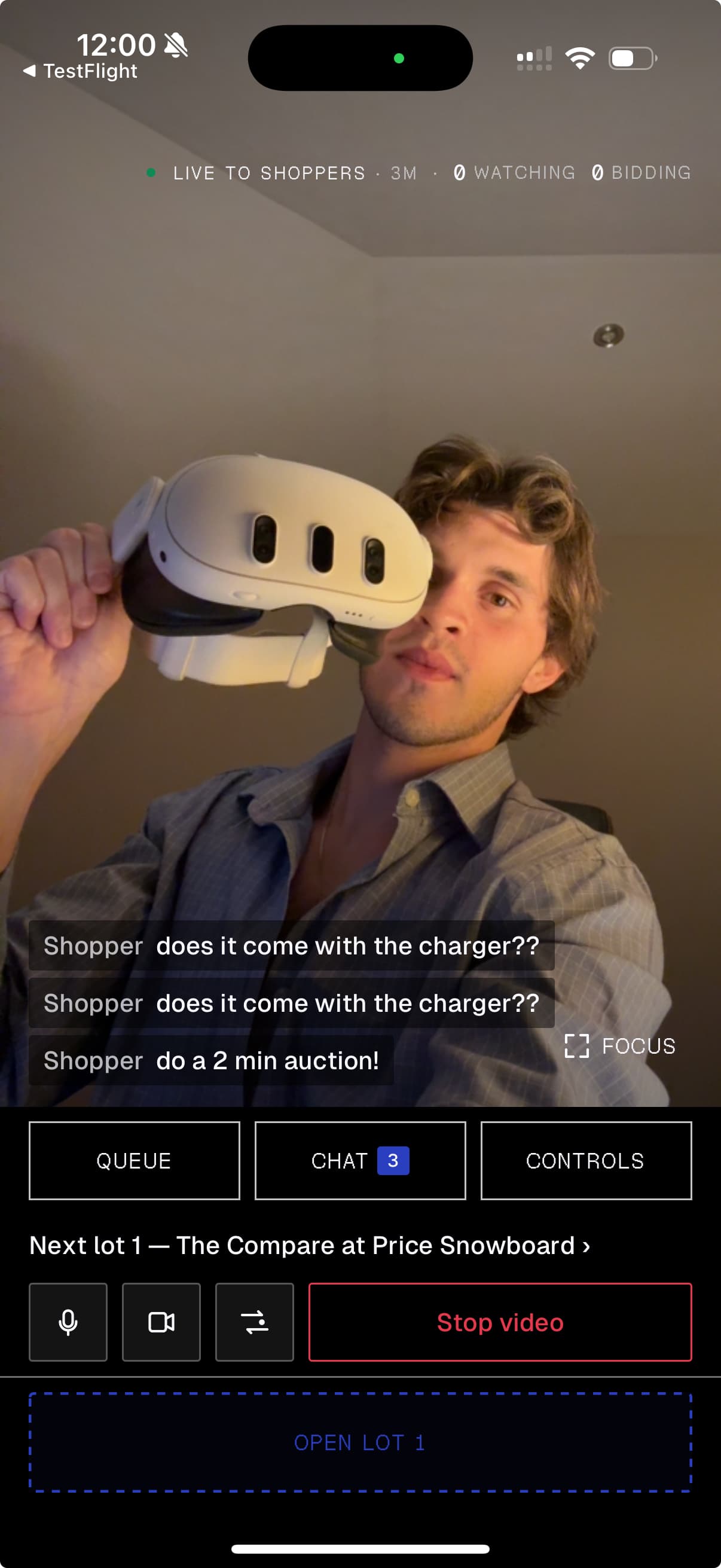
Stores on Live iPhone host screen with camera, chat, queue and product controls.
The iPhone host workspace

Auctions, fixed prices and offers

Different products call for different ways to sell. Combine multiple formats in one show.

Shoppers compete with increasing bids.

You control the starting price and minimum bid increment.

Auction and offer formats

The price falls in timed steps to a floor price. A shopper can claim at the current price.

You set the starting price, floor, drop amount and interval. An unclaimed item ends unsold.

Dutch auctions

Shoppers claim available products at the price you set.

They then complete payment through Shopify checkout.

Shoppers propose a price. You can accept, decline or make a counteroffer.

An accepted offer leads to checkout; it is not a completed payment.

Invite shoppers to your storefront

Event links, RSVPs, email invitations and reminders help bring your audience to the show. Social scheduling supports promotion on connected channels.

Simulcasting sends your live video to Facebook Live, Instagram Live Producer and custom RTMP destinations through supported connections.

Viewers discover the broadcast on social channels. Bidding, offers and checkout stay on your Shopify store.

Audience and promotion Simulcasting

Configure participation and attendance rewards

Live chat, polls and product giveaways give shoppers a part in the show.

Rewards recognize qualifying referrals, repeat attendance and group participation. Available rewards include discounts, free shipping and gifts with purchase.

Saved-product reminders help interested shoppers return to items they watched.

Chat and polls Giveaways Rewards

Payments and orders in Shopify

Shoppers pay through Shopify checkout. Track paid and unpaid purchases, manage payment follow-up, and fulfill orders through Shopify.

  • Buyer checkout

    Auction winners complete payment through a private Shopify checkout link once it is ready. A winning bid does not charge the shopper.

  • Payment recovery

    Payment tracking, reminders and eligible second-chance offers help you follow up on unpaid purchases.

  • Order management

    Manage fulfillment in Shopify. Purchases remain available in the shopper’s customer account.

Payments and recovery

Auctions and shoppable content between shows

Dynamic Listings let customers bid or make offers on your storefront without a live broadcast.

Shoppable videos, images and Shop the Look collections link your content to the products customers can buy.

Recorded shows can be published as replays. With replay sales enabled, customers can buy eligible available products from the replay.

Dynamic listings Shoppable media

A home for your store community

Give customers a place to return between shows. Stores on Live adds live-shopping activity to Shopify customer accounts, from purchases and prizes to rewards and the next event.

  • Purchases and prizes

    Customers can review purchases, follow giveaway entries and claim eligible prizes from their account.

  • Rewards and access

    Available rewards and early access stay within reach. Reward campaigns can recognize referrals, repeat attendance and group participation.

  • Reasons to return

    Live picks shows eligible auction interest and second-chance offers. Customers can open available replay products, set an upcoming-show reminder and manage their live-show email preference.

Customer accounts

Customer conversations and sales insights

Send interested customers an event or product link. Measure paid sales and participation across live shows and replays.

Comment-to-DM and WhatsApp

Comment-to-DM sends an event or product link when someone uses your keyword on supported Instagram and Facebook posts.

Connect WhatsApp Business to manage customer conversations, share product links and send approved message templates.

WhatsApp

Live and replay analytics

Sales analytics show paid sales, items sold and sell-through, with separate views for live and replay performance.

View available audience metrics alongside sales results and unpaid purchases.

Sales analytics
MCP agents, ChatGPT and Shopify Sidekick+

Connect your agents through MCP

Give your agent access to your catalog, show preparation, live controls and sales results. Add the custom MCP server through ChatGPT Plugins, set up Claude as a custom connector, or connect Codex and OpenCode using the MCP guide. Pi and other agents require registration with our team.

You choose the permissions. The agent can use only the tools you authorize. The ChatGPT show workspace below is a separate interface for working with these tools.

Your show workspace in ChatGPT

The ChatGPT integration brings a show workspace into the conversation. Select Shopify products, arrange the lineup, set selling rules and review your show before publishing or scheduling it.

Use live controls to manage products and respond to offers. Review sales and payment results, then reuse a saved lineup for another show. Your granted permissions determine which actions are available.

Video comes from your phone, the web host or OBS. The workspace helps you connect your broadcasting device; ChatGPT does not supply the camera.

Store guidance in Shopify Sidekick

Ask about app setup, find a show, or review its current state, sales summary and payment details. Our read-only Sidekick integration is in preview. Explore Shopify Sidekick.

Questions

Getting started

Can I run live sales on my own Shopify store?+

Yes. Your show runs on your Shopify storefront, with live video, products and chat in one room. Shoppers join in their browser and sign in to your store to bid or buy. They do not need a shopper app.

What does it cost?+

See plans and live sales fees for current pricing. Feature availability depends on your plan and configuration.

Preparing your show

What do I need to prepare before my first show?+

Build a lineup from your Shopify products and variants. Choose a sale format and selling rules for each item, set up your storefront room, and preview it before publishing. Schedule the show and share the event link with your audience.

Do I need a studio or special equipment?+

You can host with an iPhone or a webcam. Use your phone for the camera and the web workspace for show controls, or manage the show from either device. For a broadcast setup, connect OBS.

How do I get customers to attend?+

Share the event link, collect RSVPs, and send email invitations and reminders. Use connected social channels to promote the show. You bring your audience; Stores on Live does not provide viewers.

Selling live

Can I auction some products and sell others at a fixed price?+

Yes. Choose English auctions, Dutch auctions, fixed prices or offers for each item. English auctions use rising bids. Proxy bidding is a separate bidding mechanism: shoppers save a private maximum before an eligible item opens, and the app bids within that limit.

Can I broadcast to social channels at the same time?+

Simulcasting sends your live video to supported destinations, including Facebook Live, Instagram Live Producer and custom RTMP destinations. Each connection has setup requirements. Viewers come to your Shopify storefront to bid, make offers and check out.

How do shoppers pay when they win or claim an item?+

They complete payment through Shopify checkout. Auction winners receive a private checkout link once it is ready. A winning bid, fixed-price claim or accepted offer does not charge the shopper automatically. You manage fulfillment through Shopify.

After the show

What can I do if a winner does not pay?+

Track outstanding payments and send reminders. Eligible unpaid purchases can receive second-chance offers, giving another shopper an opportunity to buy. Recovery depends on the purchase’s current status; paid purchases cannot be offered again.

Can customers keep shopping after the broadcast ends?+

Publish a recorded show as a replay. When replay sales are enabled, customers can buy eligible available products. Dynamic Listings also let you run standalone auctions and offers between broadcasts.

How do I see the results of a show?+

Review paid sales, items sold, sell-through and available audience metrics in sales analytics. Live and replay views help you see when sales happened. Payment tracking shows which purchases still need follow-up.

Bringing customers back

Where can customers find their purchases, prizes and rewards?+

Add the Stores on Live page to Shopify’s new customer accounts. Customers can review purchases, follow giveaway entries, claim eligible prizes, and see available rewards and access. Live picks, replay products and show links keep related activity together. Add the account page and entry blocks during setup so customers can find them.

How can I encourage customers to join the next show?+

Customers can set a reminder for an upcoming show from their account. Reward campaigns can recognize qualifying referrals, repeat attendance and group participation. Together, these features give customers reasons to return and invite others into your store community.

Plans and fees Install on Shopify