
How to run a live auction on Shopify
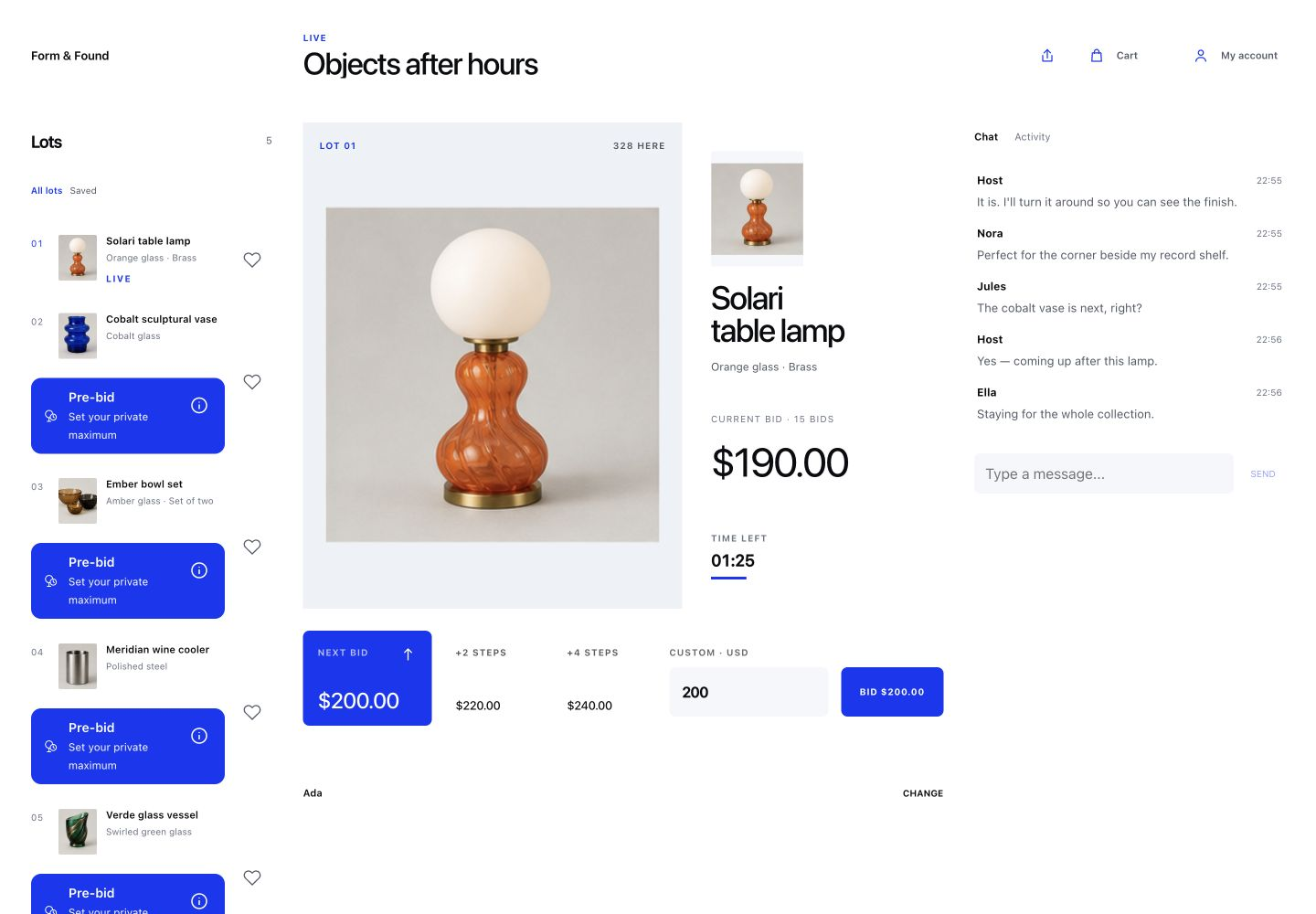
A live auction on Shopify needs a place for shoppers to bid, a clear set of selling rules and a way for the winner to pay. Stores on Live brings those parts onto your storefront, using products from your Shopify catalog.
Start with a small collection you can describe well. A vintage seller might bring together several lamps from one period; a clothing store might choose the remaining pieces from a collection. Give people a reason to attend that goes beyond watching a price change.
Prepare the products before the show
Connect your Shopify store and choose the products and variants for your lineup. Check the quantity, photos, descriptions and options shoppers will need. For a one-off item, show its condition and any marks clearly before someone decides to bid.
Arrange the running order around the story you want to tell. Keep the first item straightforward so you can explain how bidding works. Check that the storefront room and customer account setup are ready, then preview the shopper experience on a phone as well as a computer.
Choose the right sale format for each item
For an English auction, buyers compete with rising bids. Set the starting price, bid increment and closing rules. If you set a reserve, treat it as a separate minimum sale condition when reviewing your setup.
A Dutch auction moves the other way: the price falls in timed steps until someone claims the item or the auction ends. Choose a starting price, drop amount, interval and floor you are comfortable with. Reaching the floor does not guarantee a sale.
You can mix auction items with fixed-price products and offers in the same show. Use a fixed price when you already know the price you want, and offers when you want to review the shopper's proposal before accepting it.
Decide whether the show needs a camera
A live demonstration helps when movement, scale or condition matters. Host from your iPhone or browser, or connect OBS for a studio setup. Check the video and audio from the shopper side before opening the first product.
You can also run a silent show with product images, bidding and chat. You still manage the live lineup and answer questions, but you do not need to appear on camera. Dynamic Listings are a separate way to sell directly from product pages: shoppers can bid, take a falling price, buy now when enabled, or make an offer. Publish or schedule each listing without creating a show.
Can I auction products on Shopify without live video?
Yes. A silent show lets you manage a live lineup with images, bids and chat. Dynamic Listings let you sell directly from product pages with English auctions, Dutch auctions and offers; English auctions can include a Buy now price. Listings do not require a show.
Give shoppers a clear place to join
Publish the event page when its details are ready. Share that page through your own email list and social channels, explain what will be for sale and give the date and time. Stores on Live provides the place to sell; you bring the audience.
Publishing the page, starting the show and opening an item are separate actions. If you are broadcasting, also check that public video is ready. Introduce the product and its rules before opening it, then keep an eye on questions and accepted bids while it runs.
Follow the winner through payment
A winning bid is not a paid order. The winner receives a private Shopify checkout link when it is ready and completes payment there. Shipping and tax follow the store's checkout setup.
Review payment status before fulfillment. An unpaid winner may need a reminder; a failed or expired purchase may have different recovery options. Use the options available for that purchase rather than assuming every unsold or unpaid item can be offered to the next bidder.
After the show, compare paid purchases with winning bids, note the questions shoppers asked and decide what to bring back. Those observations give the next lineup a purpose. A busy chat or a high winning bid alone does not tell you how much the show earned.
Prepare one clear collection, make the rules easy to understand and follow each sale through payment. Once that works, you have a show you can improve and repeat.