
Bring live selling from a marketplace to your Shopify store
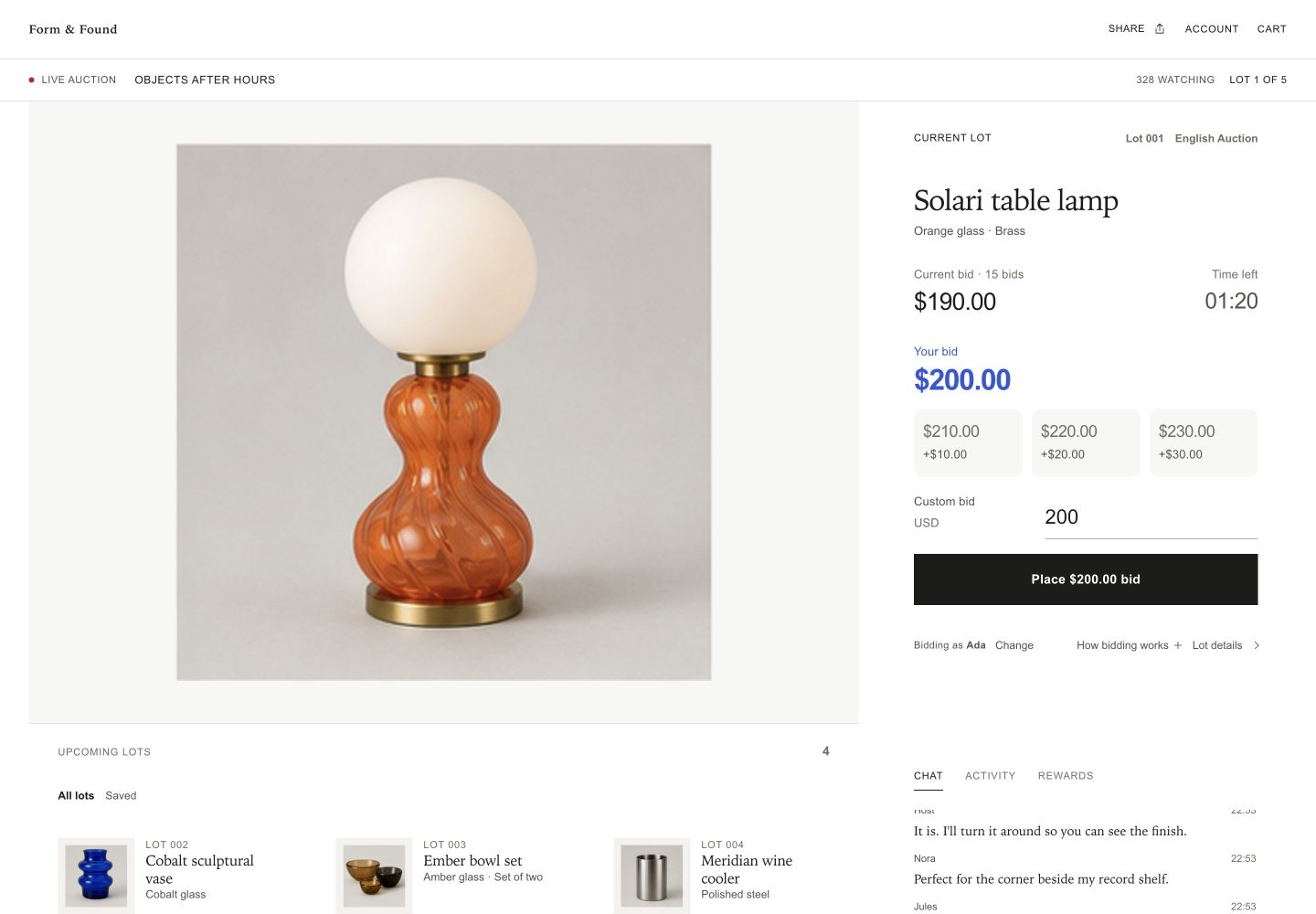
Selling live on your own Shopify store changes where the customer joins, pays and returns. It also changes who brings them to the show. A marketplace can introduce buyers who are already browsing; a storefront event needs invitations from your own channels.
You do not need to move every sale at once. Start with a distinct collection and one event, then see whether customers arrive, complete checkout and come back. Keep the parts of your marketplace business that still serve you.
Decide what you want to bring into your store
Separate the catalog from the customer experience. A marketplace can synchronize products and orders with Shopify while shoppers still watch and pay on the marketplace. Shopify's Whatnot channel, for example, supports product, inventory and order sync; installing it does not make a Whatnot show a live auction on your own storefront.
With Stores on Live, shoppers participate in the event on your Shopify storefront and complete payment through Shopify checkout. This can suit an established store that wants its live events, product pages and customer accounts to form one shopping experience.
Build an invitation you can deliver yourself
Choose a collection your existing customers have a reason to see together. That might be a first look at new vintage pieces, a small release from a maker or a clearance of the last sizes from a season. Give the event a specific promise you can keep.
Use the channels where people already follow your business: your store, social profiles and subscribed email audience. Share the event page and make its date, time and products easy to find. A marketplace follower does not automatically become a subscriber to your store.
If most new buyers currently discover you inside a marketplace, keep that discovery value in your decision. Compare the work of bringing a viewer to your store as well as the fee charged after a sale.
Give the first show a manageable collection
Choose the Shopify products and variants you will offer, check their quantities and decide how you will handle stock that is also listed elsewhere. For unique pieces, avoid promising the same item to two audiences at the same time. Confirm how each connected sales channel updates inventory.
Prepare your storefront room and run through it as a shopper. Check the event link, product details, account sign-in and checkout path on a phone. A familiar host does not remove the need for a clear first visit to a new store.
Explain what happens after a shopper wins
Describe the purchase process before the first item opens. In Stores on Live, a winning bid or accepted offer leads to private Shopify checkout. It does not automatically charge the shopper. Keep room announcements separate from the buyer's private payment information.
Make shipping, returns and customer support easy to find in your store. Review outstanding payments after the event, and fulfill confirmed paid orders through your normal Shopify workflow. Do not treat the public sold label as payment confirmation.
Compare the whole cost of the event
Account for the app subscription, any sales or usage fee, Shopify subscription, payment processing and the work of attracting viewers. Marketplace costs can depend on category, market, payment method and selling volume, so use the terms that apply to your business.
Compare paid orders from the same kind of event. Keep item revenue, shipping, tax, refunds and advertising separate so you can see what changed. A lower headline commission does not by itself establish that a storefront show costs less.
Give the next visit a reason to happen
Before the event ends, tell shoppers what you are preparing next and where to find it. Keep useful product footage available through storefront media, or offer a private appointment when someone needs time to compare a few pieces with you.
Review attendance, completed purchases, unpaid sales and the effort you spent preparing the show. Use the first event to learn which customers want this way of shopping. Expand the schedule when the experience and the workload make sense for your store.
The first goal is a storefront event your customers can find and finish. Let that experience show you which sales belong on your store and which still benefit from a marketplace.